Start here
Choose how you will build before you choose a company.
The word “best” changes with the website. Find the row that matches your build path. Then check the plan's limits and who will do the server work.
Hosted website builder
- Start with
- The hosting included with the builder.
- Why
- The building tool and hosting are one service, so you do not need a second host.
- Check
- Your must-have features and what happens if you leave.
WordPress
- Start with
- Provider-managed web hosting or managed WordPress.
- Why
- The provider runs the server. Your team still cares for the website itself.
- Check
- Rules for WordPress add-ons and who will restore a backup.
HTML, CSS, or a tool that builds ready-made page files
- Start with
- Static hosting. It sends ready-made page files to visitors.
- Why
- It is made to publish ready-made page files.
- Check
- Forms and how updates go live.
Custom app
- Start with
- A managed app platform when it supports your app. This service runs your code while the provider manages the main server system.
- Why
- Your team can focus on the app instead of setting up the whole server.
- Check
- Your code, saved information, and any task that must keep running.
Learn more:Read the full hosting-type guide
Comparisons for a specific job:Small-business hostingArtist portfolio hosting
Before you pay
Six checks matter more than a “best” badge.
See what to check
See how three public plan pages show the details.
These screenshots show where to find the payment term, renewal price, and plan limits. They do not rank or recommend the companies. The images are from August 25, 2026, so check the live pages before buying.
Hostinger public web-hosting page
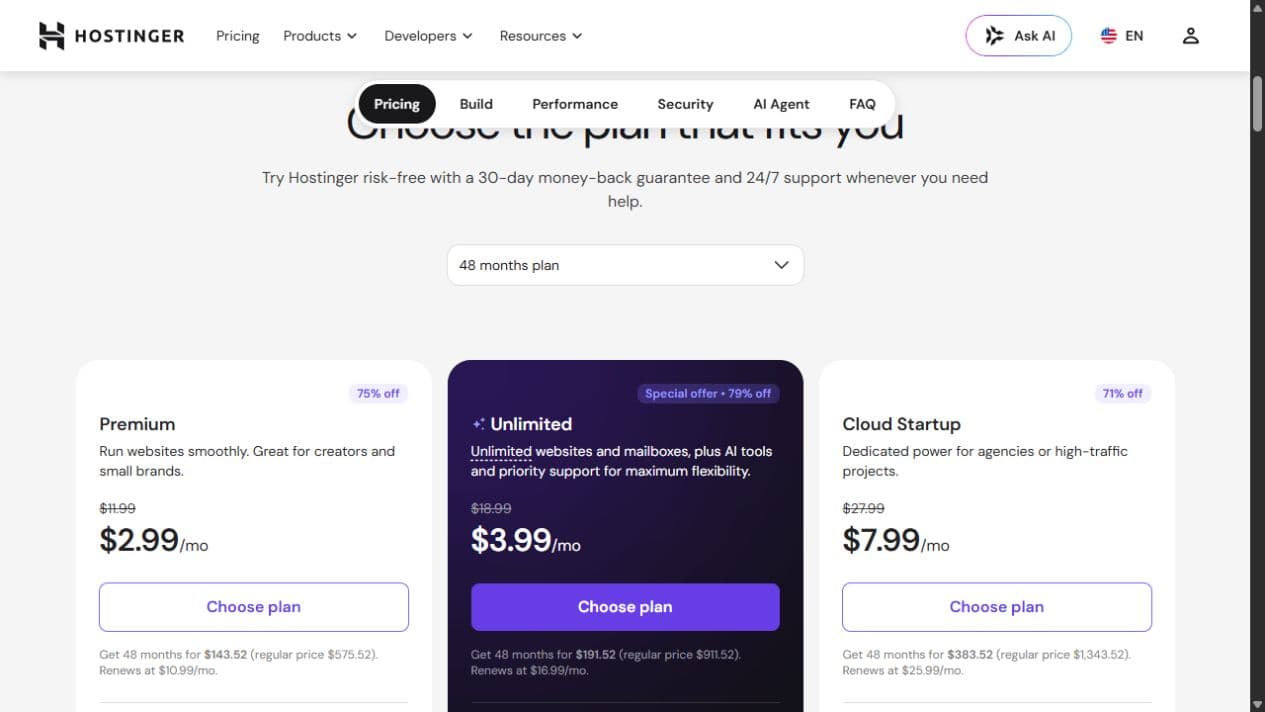
What this page tells you
- The selector shows a 48-month plan.
- The cards separate the offer from the renewal amount.
- The monthly number is not the same as paying one month at a time.
View the current plan page:Check the current Hostinger web-hosting page
SiteGround public web-hosting page
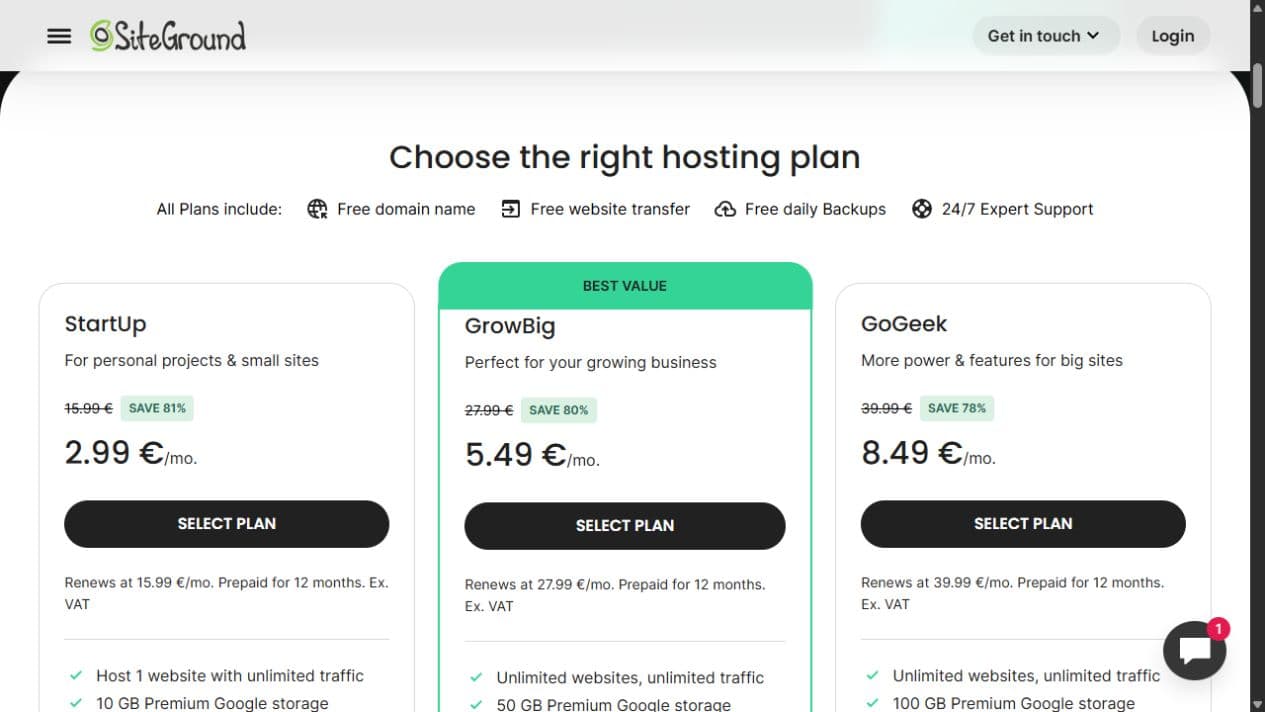
What this page tells you
- The cards state a 12-month prepaid term.
- The promotional and renewal prices appear separately.
- Website and storage limits differ by plan.
View the current plan page:Check the current SiteGround web-hosting page
Namecheap public shared-hosting page
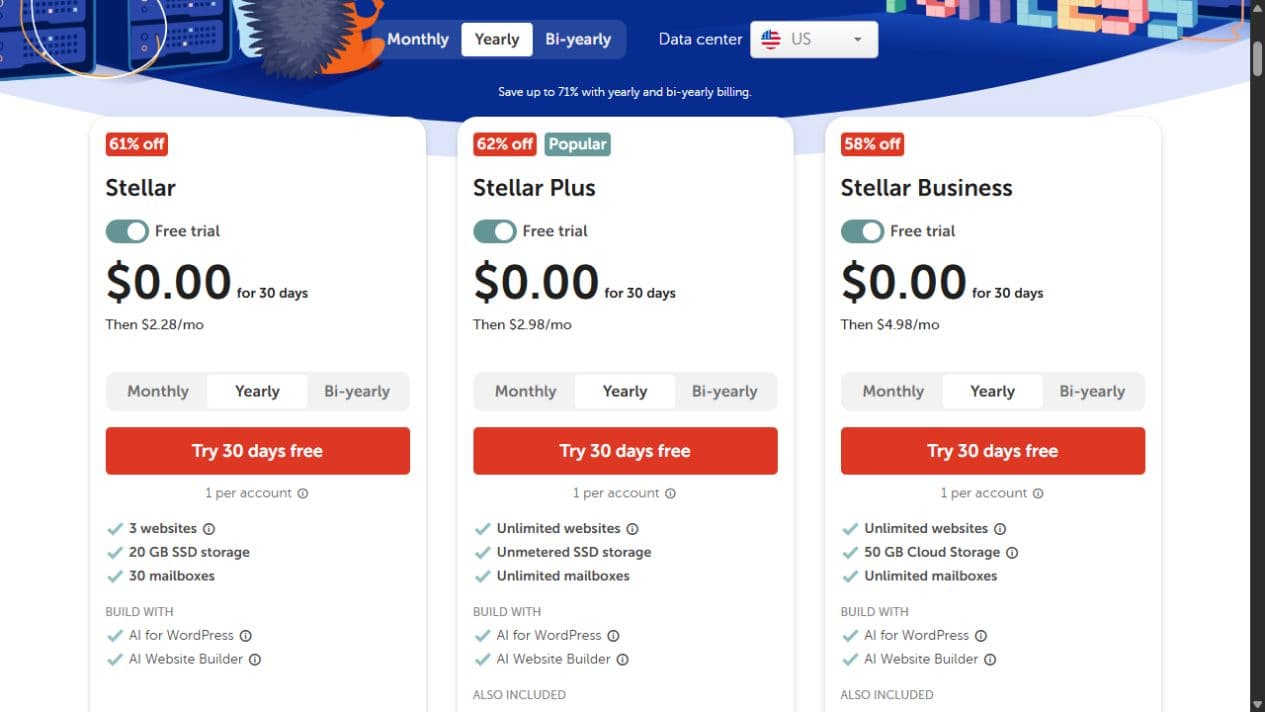
What this page tells you
- The cards show a 30-day trial and what the monthly price becomes afterward.
- The page lets the visitor switch the billing term.
- The cards list the number of websites and the amount of storage.
View the current plan page:Check the current Namecheap shared-hosting page
Keep the first choice small
Do not buy server work or power you cannot explain yet.
- A VPS that your team must manage when nobody owns the server. Someone must control access, install updates, watch for problems, and make backups. That person must also test recovery and fix failures.
- A larger plan because a page feels slow, before a test shows that hosting is the cause.
- A long prepaid term only because its monthly equivalent looks small.
- A plan whose written limits you cannot find or understand.
- A provider only because another page placed it first.
What these screenshots can and cannot tell you.
The images were saved on August 25, 2026. We did not buy the plans or test speed, uptime, security, or support. Use the live pages for today’s prices and terms. The companies are not ranked.
How we check our advice:Read how we review hosting
FAQ
Is shared hosting best for every beginner?
No. It can fit a WordPress site when the provider runs the server and the plan supports the site. A hosted builder already includes hosting. A static site or custom app may need a different type.
Does a more expensive plan mean better hosting?
No. First check whether the hosting can run your site and who will manage it. Then compare limits, recovery, what support will fix, the full term, and renewal. A larger plan does not fix the wrong hosting type.
Should a first website use a VPS?
Only when the site needs a feature that simpler hosting cannot provide and a named person will manage the server. A VPS makes your team responsible for its updates and access. The same person must watch for problems and make backups. They must also test recovery and fix failures.
Are the three companies shown here recommended?
No. The screenshots show how plans list prices and terms, plus plan limits. We did not test, rank, or recommend these companies.