The useful answer
Choose who will manage the server before you choose a company.
If server work is new to you, choose a setup that handles jobs you cannot do yet. If you can manage a server, a self-managed VPS gives you more control. We did not test which setup feels easiest, and neither choice is a tested winner in every setup.
Six decision points
The best choice depends on what you need it to do.
Setup work
How many install and dashboard-linking steps are left for you?
Private access
How will you keep strangers out of the dashboard?
Updates
Who updates OpenClaw and the operating system?
Backups
Can you save and restore the settings and work files?
AI service
Which outside AI service and secret key does the setup expect?
Moving out
Can you take your settings and work files to another server later?
Start with OpenClaw itself
Treat the minimum as a starting point.
A vCPU is a virtual processor. RAM is working memory, and disk is storage. OpenClaw's current FAQ gives 1 vCPU, 1 GB RAM, and about 500 MB of disk as an absolute minimum. It points to 1–2 vCPU and 2 GB or more RAM for extra room. A provider setup can ask for more when it adds extra services, separate work areas, dashboards, or browser tools.
A minimum can mean “the software starts.” It does not prove that your channels, browser tasks, and tools will feel fast.
Alphabetical, not ranked
Five hosting companies show how to set up OpenClaw.
We checked these setup guides on August 25, 2026. We did not test the servers for speed, support, or uptime.
Akamai Connected Cloud / Linode
Quick Deploy App
- Setup shown
- Akamai documents a limited OpenClaw user and a web dashboard opened through an encrypted connection with a second password.
- What you still need to check
- Akamai says it does not manage software or system updates for Quick Deploy Apps.
- May fit when
- A setup to check when you already use Linode's web control panel and accept routine server care.
Official documentation checked August 25, 2026. This card is not a speed, support, or uptime test.
Amazon Lightsail
OpenClaw blueprint (ready-made setup)
- Setup shown
- AWS documents a ready-made OpenClaw setup and a step that links the browser to the agent. Its guide also covers protected web access and server snapshots. It uses Amazon Bedrock, an AWS service that connects OpenClaw to an AI model.
- What you still need to check
- The guide still gives you an update command for SSH, a typed command window that connects securely to the server. Check updates for the server's main system too.
- May fit when
- A setup to check when you already know AWS, its Bedrock AI service, and its user-access settings.
Official documentation checked August 25, 2026. This card is not a speed, support, or uptime test.
DigitalOcean
Ready-made 1-Click setup or your own VPS
- Setup shown
- DigitalOcean calls its rented virtual server a Droplet. Its ready-made setup includes a separate work area, a step that links the dashboard, and an update command.
- What you still need to check
- OpenClaw's own DigitalOcean guide says to check ready-made server setups in the app store and the firewall rules that block unwanted connections. Check who made the setup, which OpenClaw version it has, and how it updates.
- May fit when
- A setup to check when you prefer DigitalOcean and will check which ready-made setup you are using.
Official documentation checked August 25, 2026. This card is not a speed, support, or uptime test.
Hostinger
Managed 1-Click or self-managed VPS
- Setup shown
- OpenClaw's official Hostinger guide documents a managed path and a VPS path. The VPS guide uses a web control screen called Docker Manager to show activity and restart the app. It also shows how to update it.
- What you still need to check
- The managed path says Hostinger handles the server platform, the Docker app package, and automatic updates. On the VPS path, you still own any server work that is not listed as managed.
- May fit when
- A setup to check when reducing setup work matters or when you already use Hostinger.
Official documentation checked August 25, 2026. This card is not a speed, support, or uptime test.
Vultr
Ready-made app
- Setup shown
- Vultr documents a ready-made app. It gives web login details and includes Code Server, a code editor that opens in a browser.
- What you still need to check
- Its guide does not clearly say who keeps OpenClaw and the operating system updated. Treat that job as unknown until Vultr confirms it.
- May fit when
- A setup to check when browser-based file and configuration access is useful.
Official documentation checked August 25, 2026. This card is not a speed, support, or uptime test.
See the setup pages
See three OpenClaw setup pages.
These screenshots were saved on August 25, 2026, so the pages may look different now. They show where setup starts, not how fast or reliable each host is.
AWS Lightsail setup page
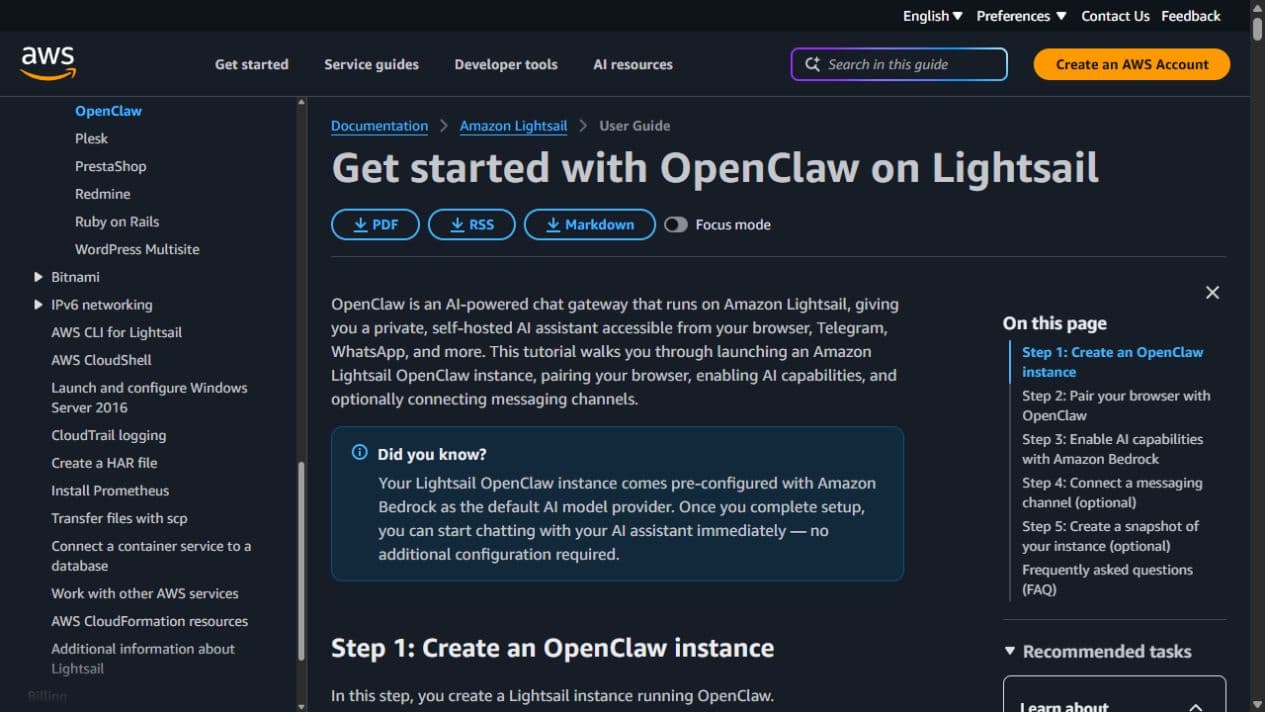
What this page shows
The guide shows a ready-made OpenClaw path, Amazon's Bedrock AI service, a browser-linking step, and optional server snapshots.
View the current page:Open the setup guide
DigitalOcean setup page
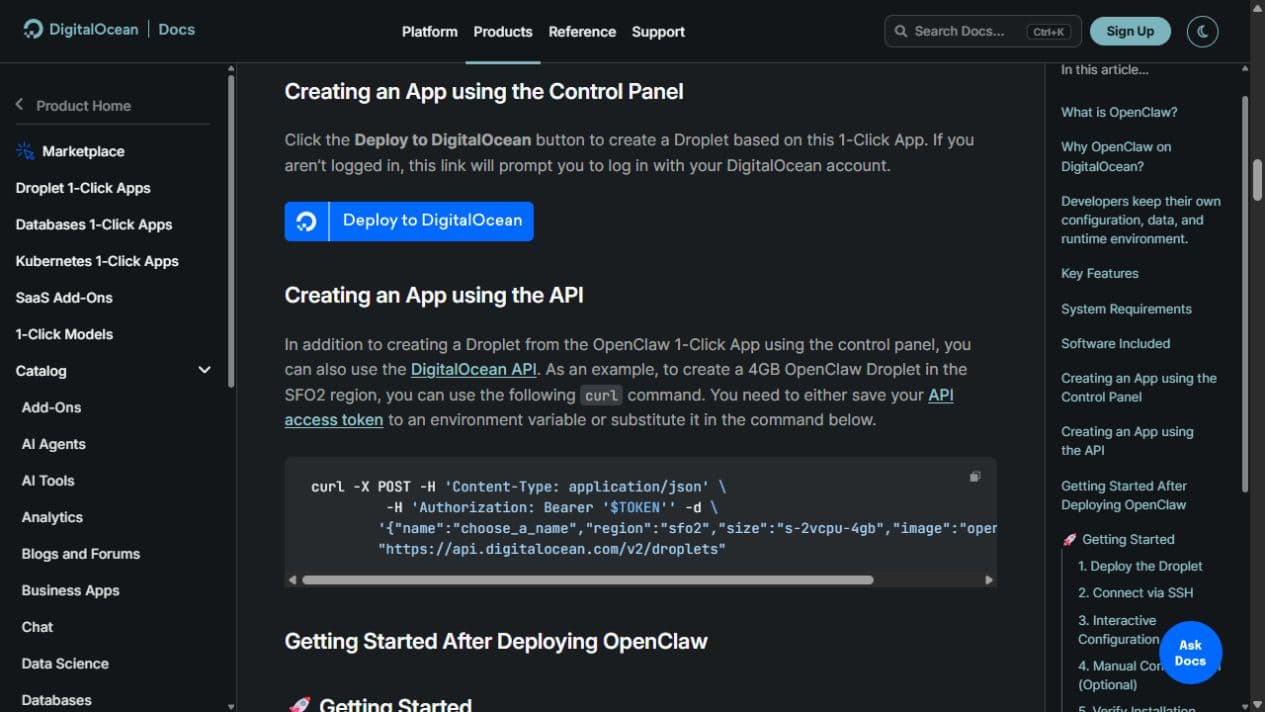
What this page shows
The provider page shows a 1-Click image and a separate automated setup option.
View the current page:Open the setup guide
Hostinger setup page
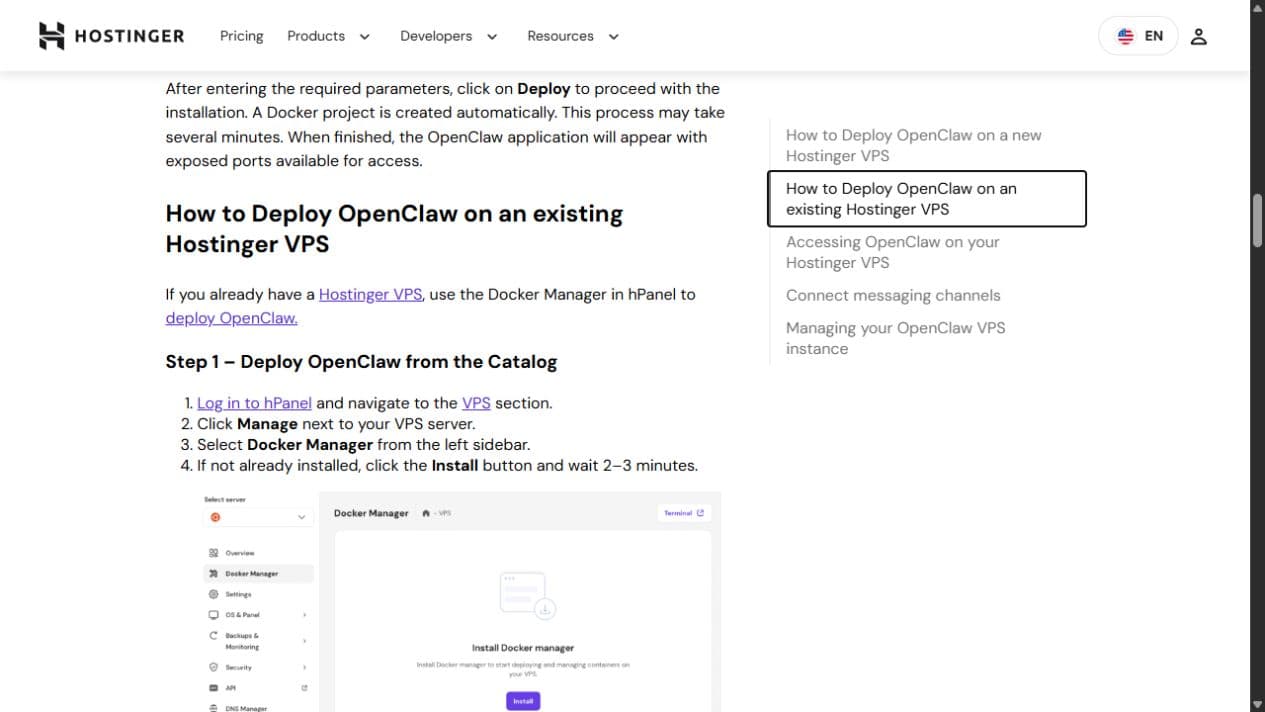
What this page shows
The support page shows the Docker Manager catalog setup for an existing VPS.
View the current page:Open the setup guide
Quick guide
Start with the setup that fits what you already use.
| If this matters most | Setup to look at first |
|---|---|
| The host says it manages the server and automatic updates | Hostinger managed 1-Click |
| Amazon Bedrock is already part of your setup | AWS Lightsail |
| You prefer DigitalOcean VPSs | DigitalOcean, after checking the ready-made setup |
| A browser-based code editor matters | Vultr |
| You already use Linode's web control panel and accept maintenance | Akamai Connected Cloud |
| You want full control | A self-managed VPS using the official OpenClaw installer |
These starting points come from each company’s setup guide. We did not rank or test the hosts.
Nine checks
Write down the missing answers before checkout.
Sources and test limits
Read the current setup guides before you choose.
We checked these pages on August 25, 2026. We compared setup, access, updates, backups, and AI services. We did not test speed, uptime, support, account security, or busy workloads. The companies are listed in alphabetical order.
Straight answers
OpenClaw VPS questions.
Which OpenClaw VPS is easiest?
We did not test which setup is easiest. A managed setup removes more listed server work, but you must still check access protection and updates. Check the backups too.
How much RAM should OpenClaw have?
RAM is the server’s working memory. OpenClaw lists 1 GB as the absolute minimum and 2 GB or more for extra room. A ready-made setup may need more when it includes extra services or browser tools.
Can OpenClaw run on a 1 GB VPS?
OpenClaw lists 1 GB as the absolute minimum. That does not promise smooth browser tasks or work across several chat apps.
Does the VPS include an AI model?
It depends on the setup. AWS documents Bedrock, its AI model service, as the default. Some other setups ask for a secret key that connects to an outside AI service.
Should the OpenClaw dashboard be public?
OpenClaw's own guidance prefers a private address. Open it through a protected private connection. If you make it public, you must add the right access protection.
Are ready-made app-store setups always current?
Do not assume a ready-made app-store setup is current. Check who made it, which version it has, how it updates, and which network connections it allows.
Did you test these VPS providers?
No. This page compares setup instructions. We did not test real speed, uptime, support, or limits under heavy use.